I Stopped Letting Meeting Bots Hear My Meetings — So I Built Notare
A free, open-source meeting notetaker and dictation app that keeps every word on your own machines — with plain Markdown into your Obsidian vault, and a home-server GPU doing the heavy lifting.
Every meeting-notes product I tried wanted the same three things: a bot in my call, my audio on their servers, and a subscription for the privilege. The notes — my words, my colleagues’ words — lived in someone else’s database, rendered through someone else’s UI, held hostage by someone else’s pricing page.
I wanted something simpler and much more boring: press record, get a
transcript, get clean notes, and end up with a plain .md file in the same
Obsidian vault where everything else in my life already lives. No bot joining
the call. No audio leaving the machine. No account, even.
That app didn’t quite exist, so I built it. It’s called Notare, it’s MIT-licensed, and it runs on Windows, macOS, and Linux.
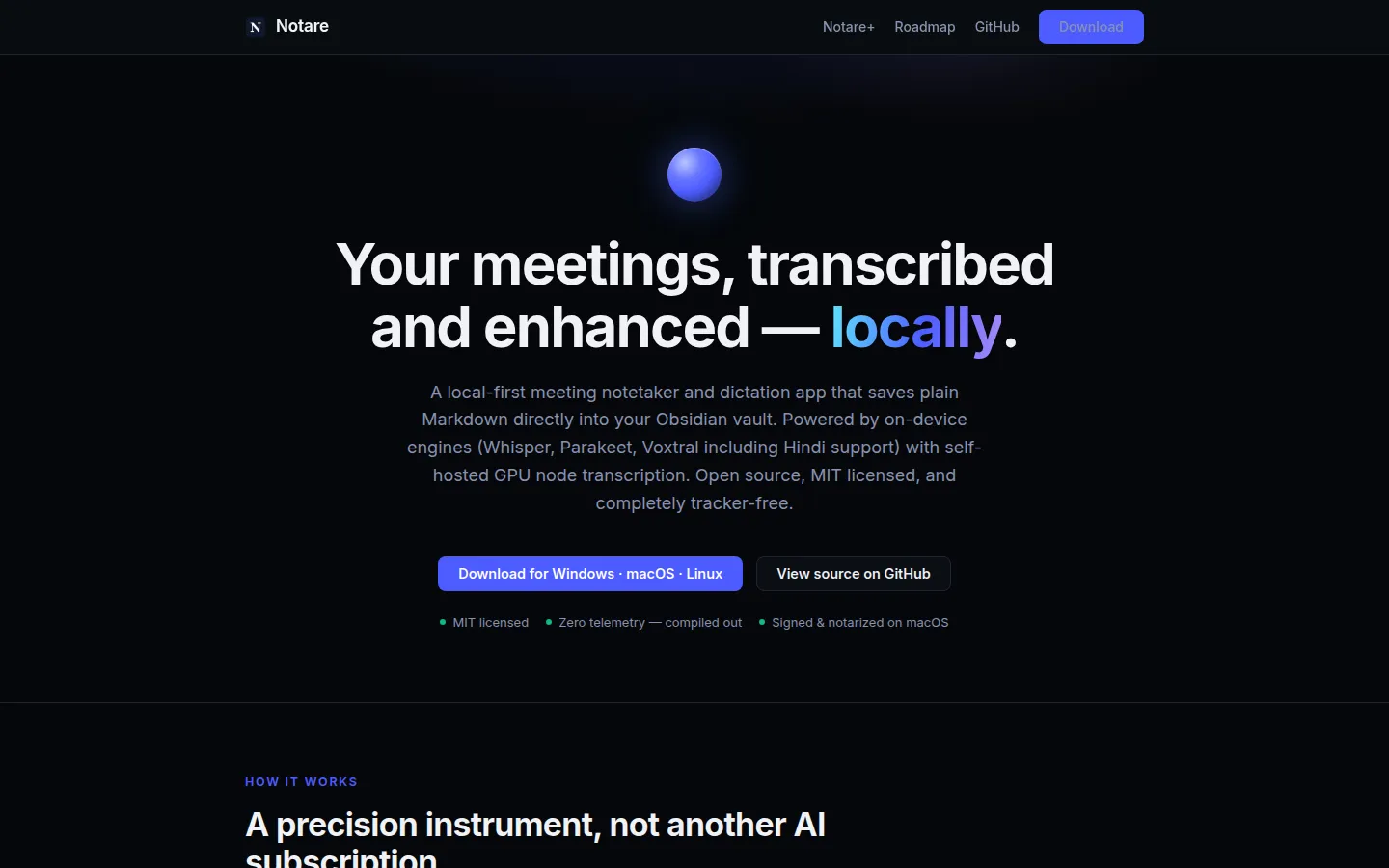 notare.dev — local-first, tracker-free, and the download is just… a download.
What “local-first” actually means here
Notare listens where you are — it captures your microphone and system audio on your machine, transcribes on your machine, and writes files to a folder you choose. The specific decisions that follow from that:
- Notes are plain Markdown. Point Notare at your Obsidian vault and every meeting becomes a note with frontmatter, a transcript, and your own writing. If Notare disappeared tomorrow, you’d lose nothing.
- No meeting bots. Nothing joins your call. Your colleagues never see a “recording participant” with a vendor’s logo.
- Telemetry isn’t disabled — it’s compiled out. The analytics code path cannot be constructed in the shipped binary.
- The transcription engines are on-device: Whisper, NVIDIA’s Parakeet, and Mistral’s Voxtral (which finally gives me proper Hindi transcription, something most local stacks simply don’t have). On macOS it uses Apple-Silicon-native engines instead.
- Dictation too. A themeable little orb sits on your screen; press a hotkey, speak, and the text lands wherever your cursor is. Eleven orb designs, because if something floats on your screen all day it may as well have personality.
The fun part: your GPU box does the heavy lifting
Here’s the feature I built mostly for myself. My laptop is fine, but my home server has an AMD RX 6600 sitting in it. Whisper’s large model transcribes much faster there than on any laptop CPU — I wrote about getting GPU-accelerated Whisper working on AMD hardware in an earlier post, and Notare is where that experiment grew up.
Notare v0.3 ships a self-hosted transcription server: three Docker images
(CPU, Vulkan for AMD/Intel, CUDA for NVIDIA), a one-page web admin where you
download and activate models, and an API the desktop app speaks natively. You
paste one URL into Notare’s settings — http://your-server:8383 — and every
transcription runs on your own GPU, on your own network.
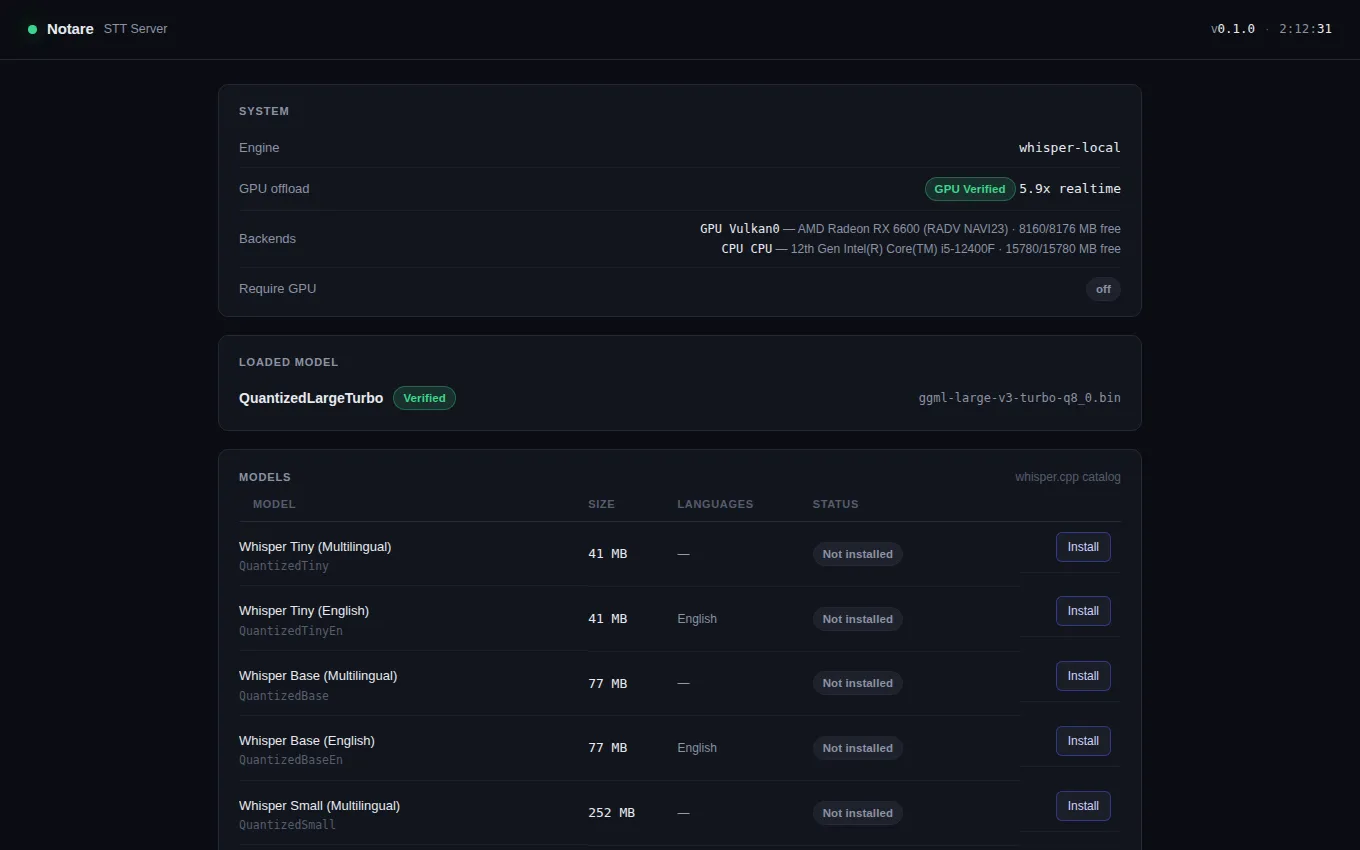 The server admin page on my home box: an RX 6600 serving Whisper Large-v3-Turbo at 5.9× realtime — with the GPU offload verified, not assumed.
That “GPU Verified” chip exists because AMD Vulkan setups are notorious for silently falling back to CPU while everything appears to work. The server actually runs a timed probe through the full serving path at startup and tells you honestly which silicon did the work. Trust, but verify — especially your own infrastructure.
The privacy story doesn’t change: it’s still your hardware, your network, your files. It’s just a bigger GPU than your laptop has.
Free means free — in writing
Open-source apps have a habit of quietly relocating features behind a paywall once there’s traction. Notare’s answer is a covenant, published on the site and versioned in the repo:
Everything that works locally is free. Forever. No feature you have today will ever move behind a paywall. Notare+ will sell convenience — hosted sync and models — never capability.
If a hosted tier ever exists, it will charge for exactly one category of thing: us running servers for you. Every one of those will have a free local equivalent. And if that promise is ever broken — the code is MIT. Fork it and keep everything.
How it was built (briefly)
Notare stands on excellent open shoulders: it began as a fork of a recently-MIT-licensed notetaker that was macOS-only, and the bulk of the work since has been making it a first-class citizen on Windows and Linux, stripping every cloud dependency, rebuilding the model-management layer with integrity checks, adding the dictation system, the engine lineup, and the companion server. whisper.cpp, llama.cpp, ONNX Runtime, and Tauri do serious lifting underneath — this is what standing on a great open-source stack looks like.
I also build heavily AI-assisted — planning by hand, delegating implementation to coding agents, and reviewing everything that lands. That workflow deserves its own post; the short version is that a one-person project can now ship a three-platform desktop app, a GPU server, and a website without a team behind it.
Try it
- Download: notare.dev — Windows, macOS, and Linux
- Source: github.com/abhi-wan-kenobi/notare
- Self-hosted server: Docker images and docs are in the repo
It’s early — v0.3 as I write this — and there are rough edges I’m sanding down in the open, one issue at a time. If you try it and something annoys you, file an issue; the roadmap is public and small annoyances get fixed embarrassingly fast.
Your meetings are yours. Your notes should be too.
If this was useful, you can find more of my writing on self-hosting and AI-augmented workflows here on Medium.